
Many Amazon sellers run into the same problem after they send out their first international shipment: the goods are on their way, and then what? Where do you check the shipping status? When will it get to the Amazon FBA warehouse? And once it’s there, how long until it’s actually available for sale?
If you think tracking just means punching a courier tracking number into a website and watching where your box is, you’re in for a surprise—because that number often stops giving useful updates after a while. An international shipment heading to an Amazon FBA warehouse goes through multiple stages: export customs, international transit (by sea or air), import customs clearance, last‑mile delivery, and finally warehouse receiving. Each stage is handled by a different party, and the tracking info lives in different systems. There’s no single tracking number that covers the whole journey.
This isn’t just a “where to track” guide—it’s meant to help you understand the key tracking milestones for an Amazon FBA shipment from dispatch to shelf, what tools Amazon provides, and what to do if something goes missing or comes up short.
1. Why Tracking an Amazon FBA International Shipment Is Nothing Like Domestic Shipping
With domestic shipping, you get one tracking number that works from pick‑up to delivery. But an international Amazon FBA shipment is a lot more complicated.
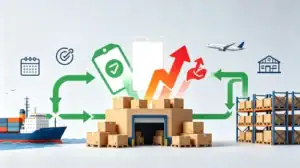
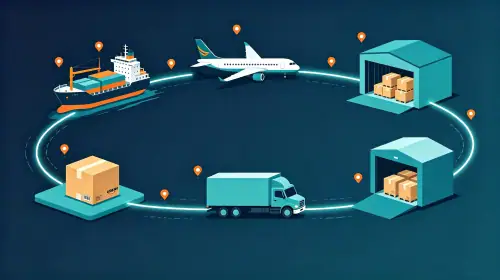
A typical shipment from China to an Amazon FBA warehouse goes through at least five stages:
Export customs – handled by your Chinese freight forwarder or customs broker; the cargo leaves the Chinese port or airport.
International transit – handled by the shipping line (ocean) or airline (air); this is the longest leg of the journey.
Import customs clearance – handled by a clearance agent at the destination; the cargo goes through customs formalities in the destination country.
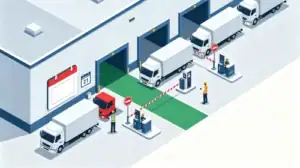
Last‑mile delivery – handled by a local trucking company or courier; the cargo moves from the port or airport to the Amazon FBA warehouse.
FBA warehouse receiving – handled by Amazon; the shipment goes through check‑in, scanning, and shelving.
Every stage has its own information source. For ocean, you check the shipping line’s website; for air, the airline’s system; for last‑mile, the trucking company. Knowing where to look at each step is way more efficient than randomly searching everywhere.

2. Amazon FBA’s Basic Tracking Tools in Seller Central
For most sellers, Seller Central is the first place they go to track Amazon FBA shipments. Here are the three most commonly used tools:
Shipping Queue
Go to “Inventory” → “Shipments” in Seller Central, and you’ll see the Shipping Queue. It gives you an overview of all your active Amazon FBA shipments, showing each one’s status from creation to completion. This is your daily go‑to for a quick check on all your Amazon FBA shipments.
Shipment Summary
Click on a specific shipment to open the Shipment Summary page, where you can find more details. The Shipment Events tab provides step‑by‑step updates from creation to closure, so you can see exactly where your inventory is in the process.
Track Shipment
In the Shipping Queue, click “Track shipment” to see real‑time status updates from the carrier.
A key 2026 Seller Central update
In July 2026, Amazon rolled out updates to Seller Central. Sellers can now view Amazon FBA shipment tracking and status in a unified dashboard—no more jumping between multiple pages in Manage Shipments. This update makes it much easier to manage multiple Amazon FBA shipments at the same time. You can also customise your view by choosing which data points to show or hide and saving that layout.

3. Advanced Tracking Tools – ShipTrack and SP-API
Beyond the basics, Amazon also offers more powerful tracking capabilities in 2026:
ShipTrack (expanded in 2026)
ShipTrack is Amazon’s official logistics tracking feature. Its core value is that it syncs the entire logistics chain—tracking milestones, delivery confirmation, duties, and more across both FBA and seller‑fulfilled models. Sellers can view end‑to‑end logistics status directly in Amazon’s backend without jumping to third‑party tracking tools.
In 2026, ShipTrack kept expanding. After launching in Australia in April, it went live in Mexico on June 12 and in India on July 10. It has now integrated with many local logistics providers, including Baicheng, Feidekuai, Hed, Haopeng, Jiadi, Litian, Meitong, Mozhida, Shengde, Tangchao, Weishi, Xingzhong, Xihang, Xiangzhou, and others.
Choosing a ShipTrack‑certified carrier gives you two extra benefits:
-
Automatic tracking number upload – the system syncs shipment, departure, arrival, clearance, and delivery milestones, and automatically enters the tracking number for you.
-
Exemption from inbound defects caused by inaccurate tracking numbers
SP-API Tracking API (for developers)
On August 5, 2026, Amazon officially launched the new Tracking API (v2026-01‑30), currently available in the US marketplace. With the get Shipment Tracking operation, sellers and vendors can retrieve tracking details for Amazon FBA shipments as they move through Amazon’s supply chain.
For sellers with some technical capability—or those using an ERP system—this means you can integrate tracking data into your own systems for automated shipment tracking management. Amazon also introduced a “SHIPMENT_TRACKING_MILESTONE_CHANGED” notification type, so you can subscribe to real‑time tracking updates for your Amazon FBA shipments during transport.
4. Manual Tracking Responsibilities That Sellers Must Handle
Even with all the tools above, sellers still have some manual tasks to take care of when it comes to tracking Amazon FBA shipments:
Provide complete tracking information
For Small Parcel Delivery (SPD), if you’re not using an Amazon‑partnered carrier, you must provide tracking numbers yourself. Amazon‑partnered carriers will give you tracking numbers automatically.
For LTL/FTL shipments, you need to provide a Bill of Lading (BOL) number and a freight ID. Amazon requires either a PRO number or a BOL number.
Upload tracking numbers in a reasonable timeframe
It’s recommended to upload tracking numbers for your Amazon FBA shipment within 24 hours of creating the shipment labels. The tracking info needs to be submitted before the shipment arrives at the FBA warehouse.
Make sure tracking info matches
The carrier name, shipping service, and tracking ID you enter must match each other. Also, each package’s tracking ID needs to correspond to the correct FBA box label ID.
Where do you upload tracking numbers?
You can do it through the “Track shipment” tab in the Send to Amazon workflow (for SPD shipments) or by selecting “Add tracking ID” in the Shipping Queue.
5. Understanding Receiving Status After Your Amazon FBA Shipment Arrives
Once your Amazon FBA shipment reaches the warehouse, tracking isn’t over. Amazon’s receiving process has several status stages. Knowing them is key to managing your Amazon FBA shipments effectively:
| Status | What It Means | Typical Timeframe |
|---|---|---|
| In Transit | Shipment is on its way | Depends on transport mode |
| Delivered | Shipment has arrived at the FBA warehouse yard | Day of delivery |
| Checked In | Warehouse has confirmed delivery but hasn’t started processing | SPD: 2‑4 days; LTL/FTL: up to 10 days |
| Receiving | Amazon has started scanning units and adding them to sellable inventory | Takes a few days |
| Closed | All units have been confirmed received | Once fully processed |
Important notes:
The time from Checked In to Receiving can take 2‑4 days (SPD) or up to 10 days (LTL/FTL), and can be even longer during peak seasons. FBA warehouses process Amazon FBA shipments on a first‑come, first‑served basis—you can’t speed up a specific shipment’s processing.
Once the shipment arrives, keep an eye on the Reconcile tab to catch any quantity discrepancies (shortages) as early as possible. If your Amazon FBA shipment stays stuck in a certain status for too long, you can contact Seller Support with the Shipment ID to investigate.
6. Common Amazon FBA Tracking Issues and How to Fix Them
Issue 1: Tracking number uploaded but not recognised
Using ShipTrack‑certified carriers solves this—Amazon pulls the full logistics tracking data directly from the carrier’s system. If you’re using a non‑partnered carrier, double‑check that the carrier name and tracking ID format are correct.
Issue 2: Shipment shows “Delivered” but hasn’t been checked in for a while
Check the Shipment Events page to confirm the current status. If it’s in Checked In, that’s normal—it can take 2‑10 days to move to Receiving. If it’s been over 10 days with no progress, contact Seller Support with the Shipment ID and proof of delivery (POD).
Issue 3: Received quantity doesn’t match
Once your Amazon FBA shipment moves to Receiving, go to the Reconcile tab immediately. If a reconciliation date is shown, wait until that date passes to start an investigation. Catching shortages early gives you a much better chance of a successful claim.
Issue 4: Tracking info for multiple Amazon FBA shipments is scattered
Use the unified view from the 2026 Seller Central update to check all your Amazon FBA shipments in one place. For larger sellers, consider integrating tracking data into your ERP system via the SP-API.

7. Best Practices for Managing International Amazon FBA Shipment Tracking
Build a habit of uploading tracking info early
Upload tracking numbers within 24 hours of creating your Amazon FBA shipment labels. Don’t wait until after your cargo has already left.
Know where to look for each leg of the journey
There’s no single tracking number that covers an entire international Amazon FBA shipment. For ocean, check the shipping line; for air, check the airline; for last‑mile, check the trucking company. Knowing which source to check at each stage saves you a lot of aimless searching.
Use ShipTrack carriers when possible
Choosing ShipTrack carriers automatically syncs tracking info for your Amazon FBA shipments, saves you manual entry, and protects you from inbound defects.
Check your labels before shipping
Each outer carton needs two labels—a carrier address label and an FBA label. Make sure they’re clear, flat, and not covered by tape that could block scanning. Remove any old labels from reused boxes, and never place labels over box seams.
Check the Shipping Queue regularly
Don’t wait until your Amazon FBA shipment is supposed to arrive before you look. Regular checks help you spot anomalies early—like a shipment that’s been stuck at a certain stage for too long—so you can step in sooner.
Keep proof of delivery (POD)
If something goes wrong with your Amazon FBA shipment, the POD is critical for investigations and claims.
Tracking a shipment from China to Amazon FBA is never as simple as “here’s a number, go check it.” International shipments involve multiple parties, multiple systems, and multiple statuses across export customs, transit, import clearance, last‑mile delivery, and FBA receiving. In 2026, Amazon is making Amazon FBA shipment tracking more transparent and efficient with the unified Seller Central view, the expanded ShipTrack program, and the new SP‑API Tracking API.
But no matter how good the tools are, sellers still need to use them actively. Uploading tracking numbers, checking the Shipping Queue, monitoring receiving status, and reconciling quantities—these small but important tasks are what keep your Amazon FBA shipments safe, on time, and fully accounted for. Choosing a logistics partner that provides clear tracking information (like AMZ Shipper) can lighten the load on your end. But whoever you work with, make sure they give you usable tracking details at every transport node—that’s the foundation of efficient Amazon FBA international shipment management.
ABout AMZ Shipper
AMZ Shipper has several years of experience for international logistics Freight Forwarding service. Our service is for importer and exporter, foreign freight forwarders, local and abroad business. Export of 1500 of 40HQ per year for FBA Amazon shipping, 15-30 tons of air shipments per month.
Member of WCA. Our company is a professional Amazon freight forwarder that specializes in providing comprehensive and efficient services to customers.