Amazon FBA warehouses reject a lot of shipments every single day simply because of box label issues. And when that happens, you’re looking at delayed warehousing, out-of-stock listings, extra fees (around $0.15–$0.30 per unit for relabeling), or even your entire shipment being sent back to a third-party warehouse.
Get these labeling basics right, and you can avoid over 90% of label-related rejections.
Ⅰ. Hard Requirements for FBA Box Labels (Latest Version)
These are the current core rules from Amazon FBA. If you miss any of them, the warehouse has every right to reject your shipment.
| Requirement | Detailed Standard |
|---|---|
| Label Paper | Must be non-reflective, tear-resistant, and waterproof. Best options: thermal paper with clear tape over it, or synthetic adhesive labels. |
| Label Size | Standard 1 inch × 2 inches (25mm × 50mm). The barcode area must be clean — no scratches, no smudged ink. |
| Label Position | On a flat side of the box. Close to a natural edge, but away from corners, tape seams, and existing manufacturer barcodes. |
| Number of Labels | At least 1 label per box. Strongly recommended to put 2 labels on two adjacent sides — in case one gets damaged during shipping. |
| Label Content | Must include the Amazon-generated: FBA XXXX box ID, the matching barcode, and the destination warehouse code (e.g., FTW1). |
| No Covering | The label must not cover the manufacturer barcode, hazmat symbols, fragile signs, or any old shipping labels. |
A quick heads-up: the Shipment ID and Box ID must match exactly what’s in your Seller Central shipment. Even one wrong character makes the label invalid, and Amazon’s system will reject it immediately.
Ⅱ. The 5 Most Common Mistakes That Get Your Shipment Rejected
Based on real rejection reports and the relabeling jobs we’ve handled at AMZ Shipper, these are the top screw-ups:
-
Faded or damaged label
Thermal paper got wet, bubbles under the tape blocked the barcode, or the label was scratched during handling. -
Wrong label placement
Stuck on the bottom (forklifts can’t scan it), right over the tape seam (the reflection kills the scan), or on a corner fold. -
Mixed-up box labels
You accidentally put Box 1’s label on Box 2’s carton. Amazon scans it, sees a weight/size mismatch, and rejects the entire pallet. -
Reusing old labels
The box still has an old FBA label, a courier sticker, or a return label from a previous shipment. Amazon’s scanner gets confused when it sees multiple IDs. -
Changing the label yourself
Handwriting dimensions, adding notes like “fragile”, or trimming the label shape. Amazon’s system only accepts the original PDF print — no edits allowed.
Ⅲ. Extra Labeling Rules for Special Product Categories
If you sell any of the following three types of products, you’ll need additional labels on the box. Missing them means automatic rejection or a compliance violation.
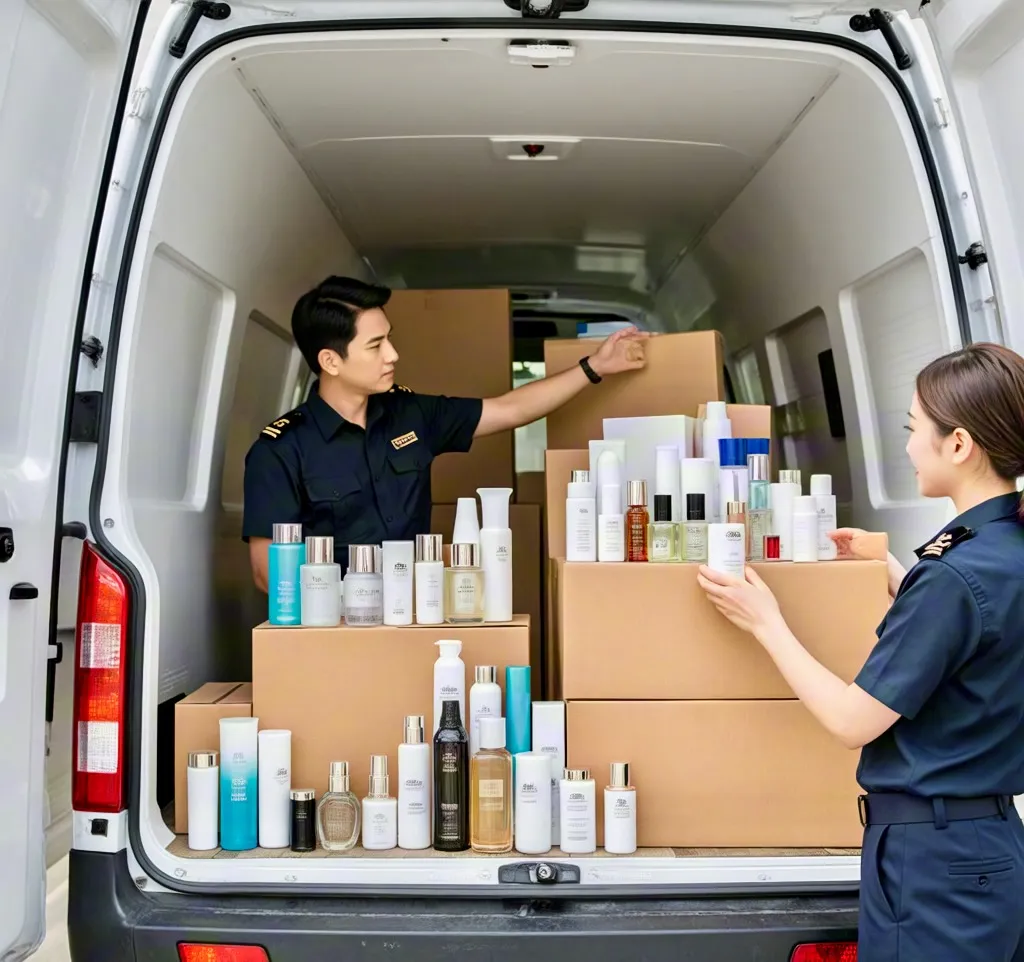
1. Products with an expiration date (cosmetics, food, personal care)
-
You must add an expiration date label in this format:
Expiration date: YYYY-MM-DD. -
Placement: same box side, to the right or below the FBA box label.
-
Must be printed clearly — no handwriting.
2. Bundle products (“sold as set”)
-
Add a label that says
Sold as setand include the quantity (e.g.,Set of 3). -
Don’t pack each item separately inside the master carton — Amazon will treat them as individual units and break the bundle.
3. Products with batteries, liquids, or sharp objects
-
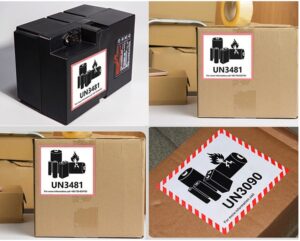
On top of the FBA box label, you must add the official hazmat symbol (e.g., “lithium battery”, “corrosive liquid”, “sharp object”).
-
Use Amazon’s exact icons and sizes — no homemade designs allowed.
| Product Type | Additional Label Required | Placement |
|---|---|---|
| Cosmetics (shelf life <12 months) | Expiration date (YYYY-MM-DD) | Same side, next to FBA label |
| Bundles (e.g., 3-piece set) | Sold as set + quantity |
Above the main label |
| Products with built-in lithium battery | Lithium battery mark (UN3481) | Same side, but not covering the FBA label |
Ⅳ. What to Do If Your Shipment Gets Rejected (Emergency Workflow)
When you get a rejection notice for “Label – Cannot Scan” or “Label – Mismatch”, follow these steps:
Step 1: Find out exactly why
Log in to Seller Central → go to the shipment dashboard → look for the “receiving issue” or “rejection reason code”. Common codes mean:
-
Label – Missing– No label on the box, or it fell off. -
Label – Scannable– Label exists, but the barcode won’t scan. -
Label – Mismatch– The box ID on the label doesn’t match Amazon’s record.
Step 2: Contact Amazon customer support for FBA
You can request Amazon’s official relabeling service. It costs about $0.20 per unit, and you’ll need to move the shipment to a designated area in their warehouse. The whole process usually takes 3–5 business days.
Step 3: Move the shipment to a third-party labeler (faster option)
If you want same-day processing and quicker return to Amazon, send the rejected shipment directly to AMZ Shipper’s labeling center in China or the US. We provide:
-
Fresh FBA box labels printed to the latest spec and applied properly.
-
Removal of old labels, extra tape, and residue.
-
Barcode testing on every single label.
-
24-hour turnaround and immediate reshipment to Amazon.
Ⅴ. Best Workflow to Avoid Labeling Mistakes for Good
Follow this checklist, or simply outsource to a professional FBA prep service.
-
Double-check before printing
-
Download the box label PDF directly from Seller Central.
-
Confirm that the
Shipment IDandBox quantitymatch your actual shipment.
-
-
Pick the right printing material
-
Use a laser printer + matte adhesive label paper (1″×2″).
-
Avoid plain A4 paper — it tears easily and runs when wet.
-
-
Test every label before applying
-
Use a barcode scanner or your phone’s camera to scan each label.
-
A successful beep or the correct FBA number showing up means it’s good to go.
-
-
Take photos after labeling
-
Snap a picture of the labeled side of each box, and keep it until the shipment shows as “received” in Seller Central.
-
If any dispute comes up, you’ll have proof to show Amazon.
-
-
Go with a pro service
If you’d rather not deal with it, try AMZ Shipper’s FBA labeling & prep service:-
We print and apply box labels exactly to Amazon’s latest requirements.
-
Every label gets scanned twice for verification.
-
Our promise: If our labeling causes a rejection, we fully refund the Amazon inbound fee you paid.
-
Frequently Asked Questions (FBA Labeling)
Q: Can I print FBA labels on plain A4 paper and use tape?
A: Yes, but you must cover the whole label with clear tape to make it waterproof and tear-resistant. Make sure there are no bubbles or wrinkles — they can mess up the barcode scan. That said, adhesive label paper is a much safer and easier option.
Q: What’s the maximum number of FBA labels I can put on one box?
A: Amazon doesn’t set an upper limit. You need at least one, but we strongly recommend two labels on two adjacent sides. If one side gets damaged during shipping, the other one can still be scanned.
Q: Does AMZ Shipper offer labeling services? What’s the price?
A: Yes. We provide labeling services at our warehouses in both China and the US, starting at $0.12 per unit (label printing + application included). If our mistake ever leads to a rejection, we’ll fully reimburse you for the Amazon inbound fees involved.
Q: There’s an old FBA label on a used box. Do I need to remove it completely?
A: Yes — either cover it completely or take it off. Any visible old label can confuse the scanner. The easiest way: black out the old barcode with a permanent marker, or cover it entirely with the new label (as long as the new one lays flat and smooth).
ABout AMZ Shipper
AMZ Shipper has several years of experience for international logistics Freight Forwarding service. Our service is for importer and exporter, foreign freight forwarders, local and abroad business. Export of 1500 of 40HQ per year for FBA Amazon shipping, 15-30tons of air shipments per month.
Member of WCA. Our company is a professional Amazon freight forwarder that specializes in providing comprehensive and efficient services to customers.